
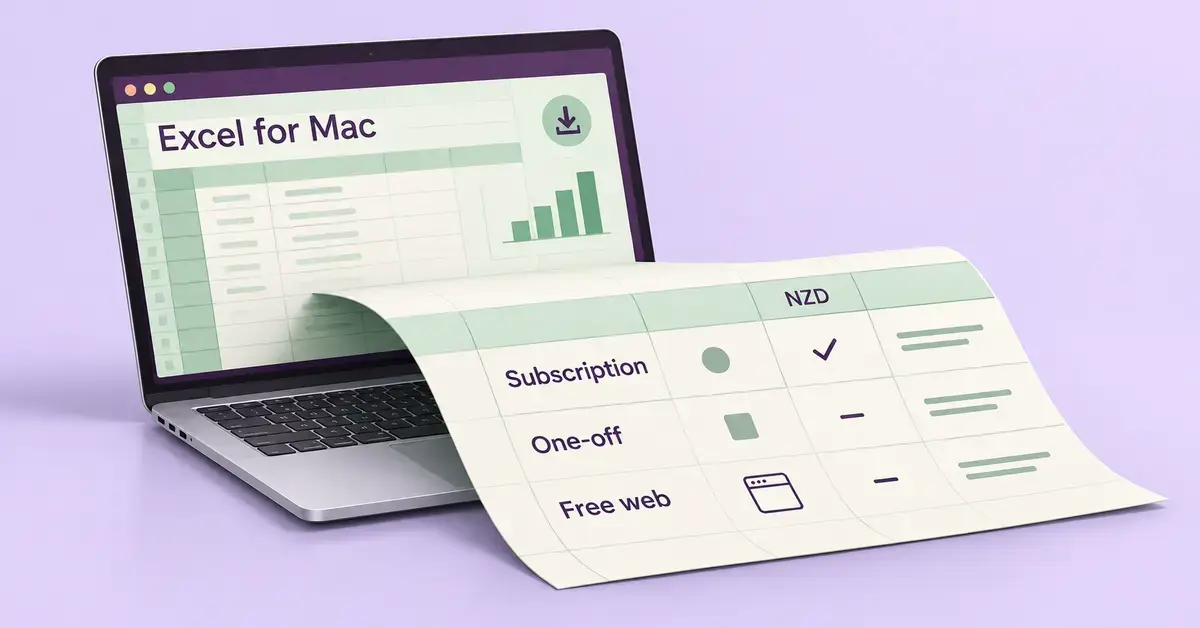
Microsoft Excel for Mac is the same spreadsheet program New Zealanders know from Windows, built to run natively on macOS and on Apple Silicon Macs. The confusing part is not the software itself but how you get it: Excel is sold as part of a Microsoft 365 subscription, as a one-time Office purchase, or used free in a web browser, and the price you pay in New Zealand dollars depends heavily on which route you choose. This guide explains every option, the real NZD pricing (GST included) as of October 2026, how to install Excel on a Mac, the free alternatives, and the privacy rules that apply here.
Quick Facts
| Developer | Microsoft |
| Official download | microsoft.com/en-nz or the Mac App Store |
| Latest version | Continually updated with Microsoft 365; a perpetual Office 2024 build is also sold |
| Licence | Paid subscription or one-time purchase; free web and mobile tiers |
| Operating system | macOS 14 Sonoma or later (the three most recent macOS versions) |
| Processor | Apple Silicon (M-series) or Intel — runs natively on both |
| Download size / disk | About 2 GB download; around 10 GB free disk space |
| Minimum RAM | 4 GB |
| NZ price (incl. GST) | From NZ$179/year (Microsoft 365 Personal) or NZ$259 one-time (Office Home 2024) |
What is Microsoft Excel for Mac, and how is it sold?
Microsoft Excel for Mac is the macOS version of Microsoft’s spreadsheet app, used for calculations, budgets, charts, data analysis and record-keeping. It opens and saves the standard .xlsx workbook format, so files move freely between Mac, Windows, phones and the web. The Mac build is a native app — since 2020 it runs on both Apple Silicon (M-series) and older Intel Macs — and it shares almost all the features of the Windows version, with a handful of exceptions noted later.
Excel is never sold on its own box in New Zealand as a standalone consumer product; you get it in one of three ways. You can subscribe to Microsoft 365, which bundles Excel with Word, PowerPoint, Outlook and OneNote plus cloud storage and keeps updating automatically. You can buy Office Home 2024 as a one-time purchase that you own forever but never gets new features. Or you can use Excel for the web free in a browser. Choosing well comes down to how often you use Excel and whether you want the latest tools and cloud storage.
Microsoft 365 versus Office Home 2024
The core decision is subscription versus one-time purchase. Microsoft 365 is a yearly or monthly subscription: you always have the newest version, you get OneDrive cloud storage and the Copilot AI assistant, and the apps stop working for editing if you cancel. Office Home 2024 is a single payment for the “classic” desktop apps (Excel, Word, PowerPoint and OneNote); it keeps working indefinitely on one Mac, but it receives only security fixes, no new features, and includes no Copilot and no extra cloud storage. For most people who use Excel regularly, the subscription works out cheaper per year and far more capable; the one-time licence suits someone who wants a basic spreadsheet they will keep for years without paying again.
How Excel runs on a Mac
Excel for Mac looks and behaves like a Mac app, not a Windows program bolted onto macOS. It uses the standard macOS menu bar, supports trackpad gestures, Retina displays, Dark Mode, Continuity with your iPhone and the macOS dictation and emoji tools. Workbooks are fully compatible with Excel on Windows, so a colleague on a PC can open your file and see the same formulas, pivot tables and charts.
A small number of advanced Windows features are still missing or limited on the Mac desktop app — historically things such as certain legacy data-connection types and some older ActiveX controls — but everyday formulas, charts, pivot tables, conditional formatting and the big modern functions like XLOOKUP all work the same. If you are learning the core functions, our guide on how to use VLOOKUP in Excel applies equally to the Mac version.
Desktop app versus Excel for the web
The desktop app and the browser version are not the same product. The installed desktop app runs offline, handles very large workbooks, and includes power features like Power Query, Solver, the full macro and VBA engine, and advanced charting. Excel for the web runs in Safari or Chrome, needs an internet connection, and covers everyday tasks well — entering data, formulas, charts, basic pivot tables and real-time co-editing — but leaves out the heaviest analysis and automation tools. If you only build simple spreadsheets, the free web version may be all you ever need; if you work with big data sets or macros, you want the desktop app.
Microsoft Excel for Mac pricing in New Zealand
Here are the current recommended retail prices from Microsoft’s New Zealand site, in NZD and including GST, as of October 2026. Excel is included in every paid plan below; there is no separate “Excel only” consumer price in New Zealand.
| Plan | NZ price (incl. GST) | People / devices | Cloud storage | Best for |
|---|---|---|---|---|
| Microsoft 365 Personal | NZ$179/year or NZ$17/month | 1 person, up to 5 devices signed in | 1 TB OneDrive | Individuals wanting full desktop Excel plus Copilot |
| Microsoft 365 Family | NZ$229/year or NZ$23/month | Up to 6 people | 1 TB each | Households sharing one subscription |
| Microsoft 365 Basic | NZ$29/year | 1 person | 100 GB OneDrive | Web and mobile Excel only, plus ad-free email |
| Microsoft 365 Premium | NZ$369/year or NZ$37/month | 1 person | 1 TB OneDrive | Heavy users who want the most AI (Copilot) features |
| Office Home 2024 | NZ$259 one-time | 1 PC or Mac | 5 GB free with a Microsoft account | One-off buyers who never want a subscription |
Two points catch New Zealand buyers out. First, Microsoft 365 Basic (NZ$29/year) does not include the installable desktop Excel — it only unlocks Excel for the web and the mobile apps, plus 100 GB of storage and ad-free Outlook email. Second, there is also an Office Home & Business 2024 one-time edition that adds Outlook and the right to use the apps for commercial work; Microsoft does not list its NZD price directly, and New Zealand retailers such as PB Tech sell it at a higher price than Office Home 2024, so check a current listing before buying. Prices rose across the region during 2025, so always confirm the figure on Microsoft’s own NZ page before you pay.
Is there a free version of Excel for Mac?
Yes — Excel for the web is genuinely free, and it is the best no-cost way to use real Microsoft Excel on a Mac. Sign in with a free Microsoft account at microsoft365.com, open Excel in your browser, and your work saves automatically to 5 GB of free OneDrive storage. It handles formulas, charts, tables and live collaboration, and it reads and writes the same .xlsx files as the paid app. The trade-offs are that it needs an internet connection and leaves out the most advanced desktop-only tools (Power Query, Solver, full macros).
The Excel mobile apps for iPhone, iPad and Android are also free to download. Microsoft’s licensing allows free editing on devices with a screen of 10.1 inches or smaller, so an iPhone or a small iPad can edit workbooks at no cost once you sign in. On larger screens — an 11-inch or 13-inch iPad, for example — you can open and view files free, but editing requires a paid Microsoft 365 subscription.
Free Excel for students and schools
Many New Zealand students can use Excel free. Most universities and polytechnics, and a large number of schools, provide Microsoft 365 Education to enrolled students and staff at no personal cost, which includes the full desktop Excel for Mac. If you have a school or tertiary email address, check your institution’s IT portal before paying for anything. We cover the eligibility rules in detail in our guide on whether Microsoft Office is free for students in New Zealand.
System requirements for Excel on macOS
Excel for Mac supports only the three most recent major versions of macOS, which means macOS 14 Sonoma or later as of October 2026. Microsoft drops support for the oldest version each time Apple releases a new one, so an older Mac stuck on an unsupported macOS can still run Excel but will stop receiving updates. Before buying, confirm your Mac can run a supported macOS version.
- Operating system: One of the three most recent macOS versions (macOS 14 Sonoma or newer at present).
- Processor: Apple Silicon (M-series) or an Intel Mac; the app is universal and runs natively on both.
- Memory: 4 GB of RAM minimum.
- Disk space: About 10 GB of free storage.
- Download: The installer is roughly 2 GB, so use a stable connection.
- Account: A Microsoft account is required to activate and to use OneDrive.
Setting up Excel on your Mac step by step
Installing the Microsoft 365 or Office version of Excel on a Mac is straightforward once you have a licence. The key is to download only from Microsoft or the Mac App Store — never from a third-party “free download” site, which is where fake or malware-laced installers circulate.
- Buy or confirm your plan. Purchase a Microsoft 365 subscription or Office Home 2024 at the Microsoft New Zealand store, or confirm a licence through your school or workplace.
- Sign in to your account. Go to microsoft365.com, sign in with the Microsoft account tied to your licence, and choose to install the apps.
- Download the installer. The Mac installer package (around 2 GB) downloads to your Downloads folder.
- Run the installer. Double-click the package, follow the prompts, and allow macOS Gatekeeper to open it — it is signed by Microsoft.
- Activate Excel. Open Excel from Launchpad, sign in once more if asked, and the app verifies your licence.
- Turn on AutoSave (optional). Save a workbook to OneDrive to enable AutoSave and version history.
Alternatively, you can install the individual Excel app straight from the Mac App Store and sign in there — handy if you only want Excel rather than the whole suite. If you also use Word, the same process applies; see our companion guide to Microsoft Word for Mac.
Free and low-cost alternatives for Mac users
If you do not want to pay for Microsoft 365, several free spreadsheet apps run well on a Mac and open Excel files. The best choice depends on whether you need perfect Excel compatibility, offline use, or cloud collaboration. The table below compares the main options; each links to its official download page.
Comparison
| App | Type | Cost (NZD) | Platforms | Official page |
|---|---|---|---|---|
| Microsoft Excel (365) | Paid app | From NZ$179/year | Mac, Windows, web, mobile | microsoft.com |
| Excel for the web | Free (Microsoft account) | NZ$0 | Any browser | microsoft365.com |
| Apple Numbers | Free, pre-installed | NZ$0 | Mac, iPad, iPhone, web | apple.com |
| LibreOffice Calc | Free, open-source | NZ$0 | Mac, Windows, Linux | libreoffice.org |
| Google Sheets | Free (personal) | NZ$0 | Web, mobile | google.com/sheets |
| ONLYOFFICE | Free / paid | NZ$0+ | Mac, Windows, Linux, web | onlyoffice.com |
| WPS Office | Free / paid | NZ$0+ | Mac, Windows, mobile | wps.com |
Apple Numbers comes free on every Mac and is excellent for simple, good-looking spreadsheets, but it is not a drop-in Excel replacement — complex formulas and layouts can shift when you export to .xlsx. LibreOffice Calc is the closest free, offline substitute for desktop Excel and handles advanced spreadsheets well; see our guide to installing LibreOffice for Mac. Google Sheets is the strongest free choice for live collaboration. For heavier business analysis, our guide to using Excel for data management explains the Copilot, Python-in-Excel and automation features that only the paid app offers.
Moving from Apple Numbers to Excel
Switching from Apple Numbers to Excel is common when you start sharing files with Windows users, and the move is usually painless. Numbers can export directly to Excel format, and Excel can read the result — but a few habits make the transition cleaner.
- Export, do not rename. In Numbers, choose File > Export To > Excel rather than just changing the file extension, so formulas convert properly.
- Check the formulas. Numbers and Excel share most functions, but a few named functions differ; open the exported file in Excel and confirm totals still calculate.
- Flatten complex layouts. Numbers lets you place several tables and media on one canvas; Excel expects one grid per sheet, so split multi-table pages before exporting.
- Watch date and currency formats. Set NZ date formatting (dd/mm/yyyy) and the NZ$ symbol explicitly so they survive the conversion.
Collaboration, OneDrive and your files
Saving your Excel workbooks to OneDrive unlocks real-time co-authoring, where several people edit the same file at once and see each other’s changes live. A Microsoft 365 Personal subscription includes 1 TB of OneDrive storage, Family gives each of up to six people their own 1 TB, and the free tier gives 5 GB. Files stored in OneDrive also get version history, so you can roll back a workbook if a formula gets broken, and AutoSave means you rarely lose work.
If you prefer to keep spreadsheets on your Mac rather than in the cloud, Excel works perfectly as a local app — simply save to your Documents folder. You lose live collaboration and AutoSave, but you keep full control of where your data lives, which matters for sensitive information.
Privacy, security and New Zealand law
When you store workbooks in OneDrive, your data is governed by the Privacy Act 2020, which sets how personal information about New Zealanders must be collected, stored and protected. Microsoft operates a New Zealand data-centre region (New Zealand North) and lets many business customers choose where their data is stored, but consumer Microsoft 365 files may be held in overseas regions such as Australia. For everyday home use this is fine; for spreadsheets holding client details, IRD numbers or financial records, be aware of where the data sits and who can access it.
On the security side, keep Excel updated so it receives Microsoft’s monthly security patches, use a strong Microsoft account password with two-step verification, and never open .xlsx or .xlsm files from unknown senders without checking them — macro-enabled workbooks can carry malware. Downloading Excel only from Microsoft or the Mac App Store avoids the tampered installers found on unofficial sites.
Common mistakes and quick fixes on a Mac
- Paying for a subscription a student already has free. Check your school or university portal for Microsoft 365 Education before buying Personal or Family.
- Buying Microsoft 365 Basic expecting the desktop app. Basic (NZ$29/year) only gives web and mobile Excel — it does not install the Mac desktop app.
- Downloading Excel from a “free” third-party site. These are often fake or bundled with malware; use only Microsoft or the Mac App Store.
- Can’t edit on an iPad. Free editing stops on screens larger than 10.1 inches; an 11-inch iPad needs a paid subscription to edit.
- Numbers files won’t open in Excel. Export from Numbers to .xlsx first; Excel cannot open the native .numbers format directly.
- Formulas break after moving a file. Save and share as .xlsx, not an older .xls, and avoid renaming the extension by hand.
- Running out of free storage. The free tier is 5 GB; large workbooks with images fill it quickly, so clear old files or upgrade.
Sources
- Microsoft New Zealand — Compare Microsoft 365 plans and pricing
- Microsoft New Zealand — Office 2024 one-time purchase
- Microsoft New Zealand — Microsoft 365 Basic
- Microsoft Support — System requirements for Microsoft 365 and Office
- Microsoft Support — Editing Office files on mobile devices
- Apple — Numbers for Mac on the App Store
- The Document Foundation — LibreOffice download
Frequently asked questions (FAQ)
Is Excel free on a Mac?
Excel for the web is free on a Mac with a free Microsoft account, giving you 5 GB of OneDrive storage and the everyday spreadsheet tools in your browser. The installable desktop app is not free: it needs a Microsoft 365 subscription (from NZ$179 a year) or a one-time Office Home 2024 purchase (NZ$259). The mobile apps are free to edit only on screens 10.1 inches or smaller.
How much does Excel for Mac cost in New Zealand?
As of October 2026, Microsoft 365 Personal is NZ$179 a year (or NZ$17 a month) and Family is NZ$229 a year, both including the full desktop Excel plus Word, PowerPoint and 1 TB of storage. Office Home 2024 is a one-time NZ$259 purchase for one Mac. Microsoft 365 Basic is NZ$29 a year but only unlocks the web and mobile versions. All prices include GST.
Does Excel for Mac work on Apple Silicon (M-series) Macs?
Yes. Excel for Mac has been a universal app since 2020, so it runs natively on Apple Silicon M-series chips as well as older Intel Macs, with full performance on both. You need one of the three most recent macOS versions — macOS 14 Sonoma or later at present — to keep receiving updates.
Can I open Windows Excel files on a Mac?
Yes. Excel for Mac uses the same .xlsx file format as Excel on Windows, so workbooks open with the same formulas, charts and pivot tables on either platform. A handful of advanced Windows-only features may not appear on the Mac app, but everyday spreadsheets transfer perfectly in both directions.
What is the best free alternative to Excel on a Mac?
For offline use, LibreOffice Calc is the closest free match to desktop Excel and opens .xlsx files directly. Apple Numbers comes free on every Mac and is great for simple, attractive spreadsheets, while Google Sheets is the best free option for live collaboration. For genuine Microsoft Excel at no cost, use Excel for the web with a free Microsoft account.
