
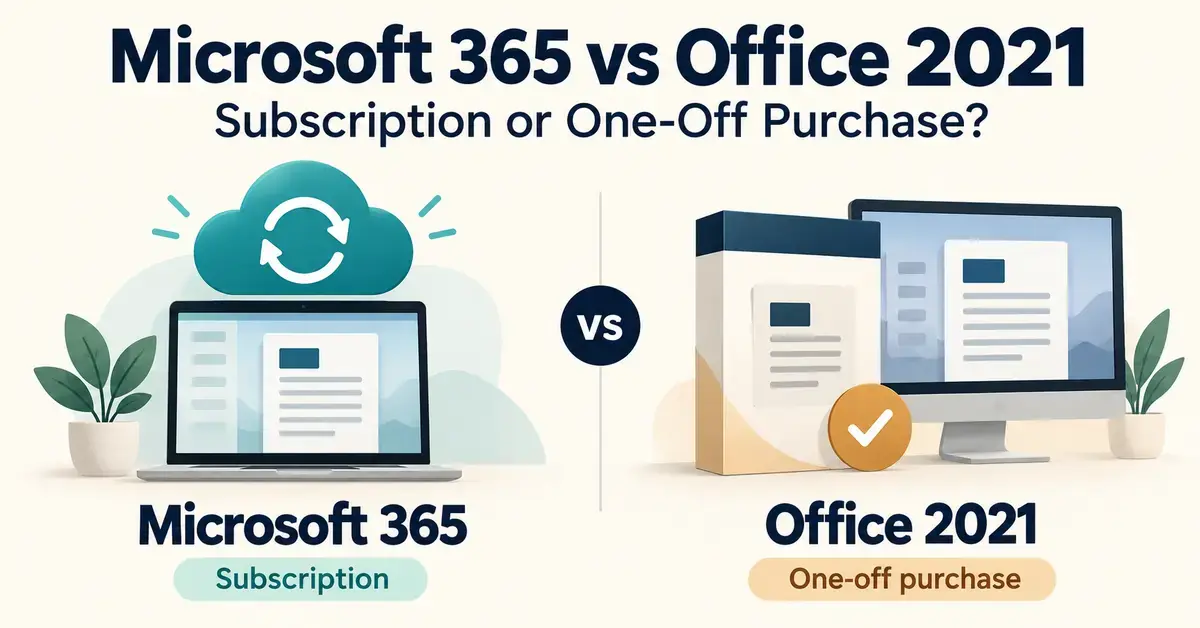
Choosing between Microsoft 365 and Office 2021 comes down to one question: do you want to pay a smaller amount every year for software that keeps updating, or pay once and own a fixed version forever? Microsoft 365 is a subscription that includes the latest Word, Excel, PowerPoint and Outlook, plus cloud storage and the Copilot AI assistant. Office 2021 was the pay-once “perpetual” release — you buy it one time and it never expires. In 2026, though, the decision is no longer a simple either/or, because Office 2021 is about to reach the end of its supported life. This guide explains both options in plain language, with current New Zealand pricing in NZD, so you can pick the one that genuinely fits how you work.
Key Points
- Microsoft 365 is a subscription: the latest apps, Copilot AI, 1 TB cloud storage and multi-device cover, for a yearly or monthly fee.
- Office 2021 is a pay-once perpetual licence — but it loses all support on 13 October 2026 and is no longer sold by Microsoft.
- The current one-off option is Office 2024: Office Home 2024 (NZ$259) or Office Home & Business 2024 (NZ$439), supported to around October 2029.
- Microsoft 365 Personal is NZ$179/year and Family NZ$229/year (up to six people) in New Zealand.
- Only a subscription includes Copilot, cloud storage and ongoing feature updates; perpetual licences get security fixes only.
- If your needs are basic, free suites like LibreOffice and OpenOffice may be enough.
Microsoft 365 vs Office 2021: the short answer
Pick Microsoft 365 if you want the newest features, Copilot AI, cloud storage and cover for several devices or family members, and you are comfortable paying every year. Pick a one-off purchase if you only need the core apps on a single computer, rarely change software, and want to avoid a recurring bill.
There is one important catch in 2026. Office 2021 itself is at the end of the road: Microsoft stops supporting it on 13 October 2026, and it no longer sells the product directly. If you want to buy Office outright today, the current version is Office 2024, not Office 2021. So the honest framing of this comparison is really “ongoing subscription” versus “buy-once perpetual licence” — and we cover both the ageing Office 2021 and its replacement below.
What is Microsoft 365?
Microsoft 365 is a subscription service that bundles the desktop Office apps with online services for a monthly or yearly fee. Formerly called Office 365, it is Microsoft’s main way of selling Office to home users, families and businesses. As long as you keep paying, you always have the latest version of each app, and new features arrive automatically throughout the year.
What you get with a subscription
A Microsoft 365 plan is more than just the programs. A typical consumer subscription includes:
- The full desktop apps: Word, Excel, PowerPoint, Outlook and OneNote, installed on your PC or Mac and always kept current.
- 1 TB of OneDrive cloud storage per person, for backing up and sharing files.
- Copilot, Microsoft’s AI assistant, built into the apps to help draft text, summarise documents and analyse spreadsheets.
- Ongoing feature updates — new tools appear automatically rather than waiting for the next boxed release.
- Multi-device use and extras such as the mobile apps, Microsoft Defender and the Editor writing tool.
Because it is cloud-connected, Microsoft 365 also works well alongside the web versions of Word, Excel and PowerPoint, and it underpins the business plans many New Zealand workplaces already use. If you run a company rather than a household, the Microsoft 365 Business plans are the equivalent tier, with mailboxes, Teams and admin controls.
Microsoft 365 plans and NZD prices
For home users, Microsoft sells three main consumer subscriptions in New Zealand. The prices below come from the Microsoft New Zealand store and are current for 2026. They include GST.
- Microsoft 365 Personal — NZ$17.00 a month or NZ$179.00 a year. One person, sign-in on up to five devices at once, 1 TB of storage and Copilot.
- Microsoft 365 Family — NZ$23.00 a month or NZ$229.00 a year. Shared with up to six people, each getting their own 1 TB of storage (6 TB in total). Copilot AI access is mainly for the subscription owner rather than every member.
- Microsoft 365 Premium — NZ$37.00 a month or NZ$369.00 a year. The newest tier, aimed at people who want much heavier Copilot use and extra AI capabilities on top of the Family features.
For most households, Family is the better value than buying several Personal licences, because one subscription covers up to six people. Prices did rise recently when Microsoft added Copilot and its Designer app to the consumer plans, so it is worth checking the live store page before you commit.
What is Office 2021 (and why it matters in 2026)?
Office 2021 is a one-time purchase that gives you a fixed set of desktop apps — Word, Excel, PowerPoint and, in some editions, Outlook — with no ongoing fee. You pay once, install it, and it keeps working. The trade-off has always been that a perpetual version is frozen at the features it shipped with: it receives security patches for about five years but never gets the new tools that subscribers see.
Office 2021 reaches end of support on 13 October 2026
Office 2021’s support ends on 13 October 2026. After that date Microsoft provides no more security fixes, bug fixes or technical support for it, and there is no paid Extended Security Updates option to buy more time. The apps will still open and run, but any new security flaw discovered after that date stays unpatched, which is a real risk if you handle sensitive files or connect to email. For anyone weighing Office 2021 today, this deadline is the deciding factor: you would be buying software that is effectively already retired.
Office 2024 has replaced Office 2021 as the one-off option
Microsoft no longer sells Office 2021 on its own store — the old product pages now point to Office 2024 and Microsoft 365. Office 2021 copies are only available through third-party licence resellers, which carries its own risk of invalid or grey-market keys. If you genuinely want a pay-once licence in 2026, the current version is Office 2024, and it is supported until around October 2029. New Zealand pricing from the Microsoft store is:
- Office Home 2024 — NZ$259.00, one-time, for one PC or Mac. Includes Word, Excel, PowerPoint and OneNote (no Outlook).
- Office Home & Business 2024 — NZ$439.00, one-time, for one PC or Mac. Adds Outlook to the same set of apps.
Like Office 2021, these are perpetual licences: no Copilot, no cloud storage and no new feature updates — just security fixes for roughly five years. For readers comparing broader Microsoft buying options, our guide to how to download Microsoft Word in New Zealand walks through the editions and install steps in more detail.
Subscription vs one-off purchase: the real trade-offs
The core decision is the same whether you are comparing Microsoft 365 against Office 2021 or against Office 2024: a recurring subscription versus a single upfront payment. Here is how the two models differ in practice.
Cost over time
A one-off purchase is cheaper at first but costs nothing further; a subscription is cheaper upfront but adds up. Over five years, Microsoft 365 Personal at NZ$179 a year totals about NZ$895, and Family at NZ$229 a year totals about NZ$1,145. Office Home 2024 at NZ$259 covers the same five years for a single payment. On raw cost for one person who never needs new features, the one-off licence wins. But that comparison ignores what the subscription adds — Copilot, 1 TB of storage per person, cover for several people and constant updates — which the perpetual licence simply does not include.
Features and AI (Copilot)
Copilot is only available with a subscription. Microsoft has added hundreds of features exclusively to Microsoft 365 over the past few years, including the Copilot AI assistant across Word, Excel, PowerPoint and Outlook, live-camera Cameo in PowerPoint and richer data types in Excel. A perpetual version such as Office 2021 or Office 2024 stays at the feature set it launched with. If AI writing, summarising and data analysis inside the apps matter to you, Microsoft 365 is the only option that provides them.
Updates and security
A subscription keeps patching for as long as you pay; a perpetual licence has a fixed support window. Microsoft 365 is always on the latest, fully supported build. Office 2021 stops receiving any updates on 13 October 2026, and Office 2024 will receive security-only updates until about October 2029 with no new features in between. For security-conscious users, a perpetual licence has a clear expiry date you need to plan around.
Devices, users and cloud storage
Microsoft 365 covers multiple devices and people; a one-off licence covers one computer. A single Personal subscription installs on several of your own devices and signs in on up to five at once, while Family stretches to six people with 1 TB of OneDrive each. Office 2021 and Office 2024 one-off licences are tied to a single PC or Mac with no bundled cloud storage. For a household with several users, or anyone who moves between a laptop, desktop and phone, the subscription is far more flexible.
Side-by-side comparison
The table below lines up the main consumer options so you can see price, who they cover and what they include at a glance.
Comparison
| Option | Type | Price (NZD, incl. GST) | Users / devices | Copilot AI & cloud | Support |
|---|---|---|---|---|---|
| Microsoft 365 Personal | Subscription | $17/mo or $179/yr | 1 person, up to 5 devices | Yes — Copilot + 1 TB OneDrive | Latest build while subscribed |
| Microsoft 365 Family | Subscription | $23/mo or $229/yr | Up to 6 people, 5 devices each | Yes — Copilot (mainly owner) + 6 TB total | Latest build while subscribed |
| Microsoft 365 Premium | Subscription | $37/mo or $369/yr | Up to 6 people | Yes — heavier Copilot use | Latest build while subscribed |
| Office Home 2024 | One-off | $259 once | 1 PC or Mac | No AI, no cloud storage | Security fixes to ~Oct 2029 |
| Office Home & Business 2024 | One-off | $439 once | 1 PC or Mac (adds Outlook) | No AI, no cloud storage | Security fixes to ~Oct 2029 |
| Office 2021 (legacy) | One-off | Resellers only | 1 PC or Mac | No AI, no cloud storage | Ends 13 Oct 2026 — avoid buying |
Which one should you choose?
There is no single right answer — it depends on how many people and devices you need to cover, whether you want AI and cloud features, and how you feel about a recurring bill.
Choose Microsoft 365 if…
- You want Copilot AI and the newest features as they are released.
- More than one person, or several devices, need Office at home.
- You value 1 TB (or more) of OneDrive cloud backup per person.
- You prefer always-supported, always-updated software and don’t mind paying yearly.
Choose a one-off purchase if…
- You only need the core apps on a single computer.
- You rarely change software and dislike recurring costs.
- You don’t need Copilot, cloud storage or new features over time.
- You are buying in 2026 — in which case choose Office 2024, not the soon-unsupported Office 2021.
If your work spans a whole team, the subscription model is usually the clear winner, and it is also worth weighing against cloud-first rivals — see our comparison of Google Workspace versus Microsoft 365 for that angle. Mac owners can also read our dedicated guide to Microsoft Word for Mac.
Common mistakes people make when choosing
A few avoidable errors trip people up when they pick between subscription and perpetual Office.
- Buying Office 2021 in 2026. It loses support on 13 October 2026, so a “new” purchase is already at end of life. If you want a one-off licence, buy Office 2024 instead.
- Trusting cheap third-party keys. Heavily discounted Office 2021 or 2024 keys from unofficial resellers are often grey-market or invalid and can be deactivated. Buy from Microsoft or a reputable retailer.
- Paying for several Personal plans. If more than one person needs Office at home, a single Family subscription is cheaper than multiple Personal licences.
- Assuming perpetual means “updated forever”. A one-off licence never gets new features and only receives security fixes for a limited window.
- Overlooking free options. Many people only need basic word processing and spreadsheets, which free software covers entirely — no licence or subscription required.
Free and lower-cost alternatives
You do not have to pay Microsoft at all if your needs are modest. The free, open-source suites LibreOffice and Apache OpenOffice provide a word processor, spreadsheet and presentation tool that open and save Microsoft formats, with no subscription and no expiry date. You can download Apache OpenOffice free for Windows, Mac and Linux. Microsoft also offers the web versions of Word, Excel and PowerPoint free with a Microsoft account, though they are less powerful than the desktop apps and need an internet connection. These alternatives are worth a serious look before you commit to either a subscription or a one-off purchase.
Sources
Frequently Asked Questions (FAQ)
Is Microsoft 365 better than Office 2021?
Microsoft 365 includes more — Copilot AI, 1 TB of cloud storage per person, cover for several people and ongoing feature updates — while Office 2021 is a fixed, pay-once version. Which is “better” depends on your needs, but Office 2021 loses support on 13 October 2026, so for a new purchase in 2026 the subscription or the newer Office 2024 are the sensible choices.
Can I still buy Office 2021 in New Zealand?
Microsoft no longer sells Office 2021 directly; its store pages now point to Office 2024 and Microsoft 365. You may find Office 2021 through third-party resellers, but with support ending on 13 October 2026 and a risk of invalid keys, buying Office 2024 instead is the safer choice if you want a one-off licence.
How much does Microsoft 365 cost in New Zealand?
Microsoft 365 Personal is NZ$17.00 a month or NZ$179.00 a year, and Family is NZ$23.00 a month or NZ$229.00 a year for up to six people. A newer Premium tier with heavier Copilot use is NZ$37.00 a month or NZ$369.00 a year. Prices include GST and can change, so check the Microsoft New Zealand store.
Does Office 2021 include Copilot or cloud storage?
No. Copilot and OneDrive cloud storage are only available with a Microsoft 365 subscription. Office 2021, like the newer Office 2024, is a perpetual licence that provides only the desktop apps, with security fixes but no AI features, no bundled storage and no new feature updates.
What happens to Office 2021 after 13 October 2026?
The apps keep working, but Microsoft stops providing security updates, bug fixes and technical support, and there is no paid extension available. Any security flaw found after that date stays unpatched, so continuing to use Office 2021 for sensitive work becomes a growing risk. Upgrading to Microsoft 365 or Office 2024 is the recommended path.
