
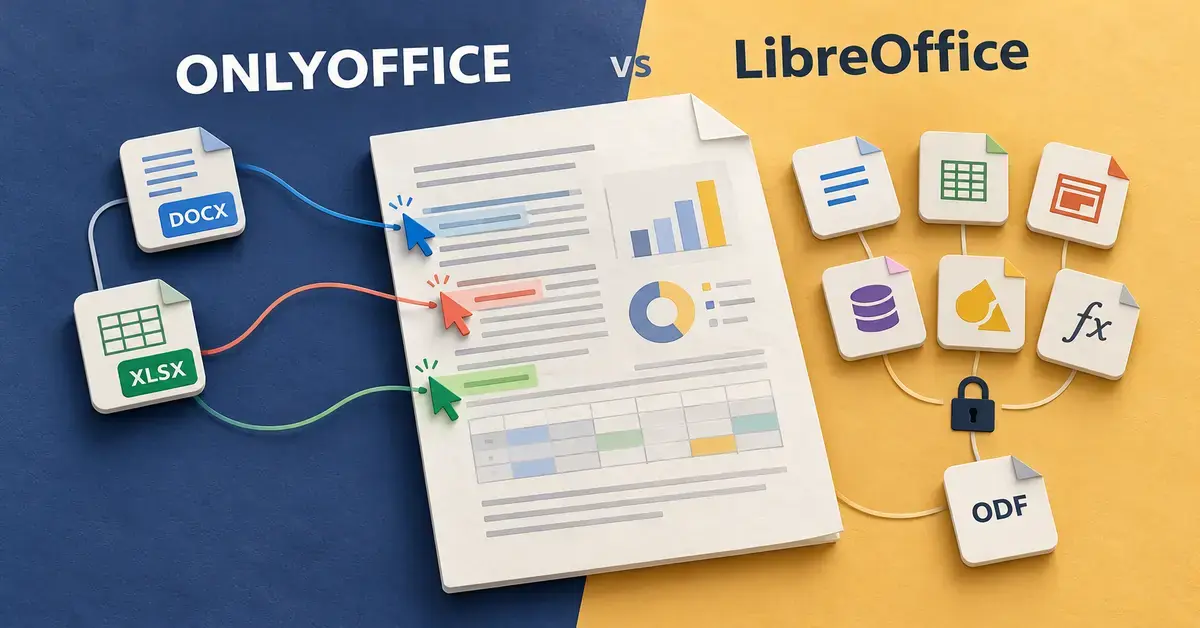
ONLYOFFICE and LibreOffice are the two most capable free office suites you can install in 2026, and both let you write documents, build spreadsheets and create presentations without paying for Microsoft Office. They take very different approaches, though: ONLYOFFICE is built around Microsoft’s file formats and real-time online collaboration, while LibreOffice is a mature, fully offline suite built around the open OpenDocument standard. This guide compares them fairly on the things that actually matter — file compatibility, the interface, teamwork, automation, pricing, system requirements and privacy — so you can decide which one fits how you work.
Key Points
- Both are free and open source on Windows, macOS and Linux — ONLYOFFICE Desktop Editors 10.0 and LibreOffice 26.8 / 26.2 (2026).
- ONLYOFFICE wins on Microsoft Office (DOCX/XLSX/PPTX) compatibility, a Word-like ribbon interface, mobile apps and real-time collaboration.
- LibreOffice wins on breadth — six apps including a database (Base) and drawing tool (Draw) — full offline use, Basic/Python macros and a large extension library.
- Paying is optional: ONLYOFFICE charges only for its cloud/self-hosted collaboration (DocSpace), not the editor; LibreOffice is free in every edition.
- Best pick: ONLYOFFICE if you live in Microsoft files and co-edit with a team; LibreOffice if you want the most complete, standards-based offline suite.
What are ONLYOFFICE and LibreOffice?
Both are complete office suites — collections of programs for documents, spreadsheets and slideshows — that are free to download and open source, meaning their underlying code is public and anyone can inspect or improve it. The similarities mostly end there, because they come from different projects with different goals.
What is ONLYOFFICE?
ONLYOFFICE is developed by Ascensio System SIA, a company based in Riga, Latvia. Its free desktop app is called ONLYOFFICE Desktop Editors, and the current release is version 10.0.0 (October 2026). The suite was designed from the start to open and save Microsoft’s formats — DOCX, XLSX and PPTX — as its primary file types, and it uses a tabbed, ribbon-style interface that looks and feels close to modern Microsoft Office. ONLYOFFICE is best known for online collaboration: the same editing engine powers its cloud and self-hosted products, where several people can edit one document at the same time.
What is LibreOffice?
LibreOffice is made by The Document Foundation, a German-based non-profit, and is maintained by a worldwide community of volunteers and sponsor companies. It began in 2011 as a community fork of OpenOffice.org and has been the more actively developed of the two ever since — if you want the longer history, see our guide to LibreOffice versus OpenOffice. LibreOffice ships six separate programs and uses the OpenDocument Format (ODT, ODS, ODP) as its native file type, although it reads and writes Microsoft formats too. In 2026 there are two supported lines: LibreOffice 26.8 (the “fresh” branch with the newest features) and LibreOffice 26.2 (the “still” branch recommended for businesses that value stability).
ONLYOFFICE vs LibreOffice: how do they compare at a glance?
The short version: LibreOffice gives you more programs and works entirely offline, while ONLYOFFICE gives you closer Microsoft Office compatibility and stronger live collaboration. The table below lines up the headline facts so you can see the trade-offs side by side before reading the detail.
Quick Comparison
| Feature | ONLYOFFICE | LibreOffice |
|---|---|---|
| Developer | Ascensio System SIA (Riga, Latvia) | The Document Foundation (non-profit) |
| Latest version (2026) | Desktop Editors 10.0.0 | 26.8.1 (fresh) / 26.2.6 (still) |
| Native format | OOXML (DOCX, XLSX, PPTX) | OpenDocument (ODT, ODS, ODP) |
| Interface | Tabbed ribbon (Office-like) | Classic menus, optional tabbed ribbon |
| Programs included | Documents, spreadsheets, slides, PDF, forms | Writer, Calc, Impress, Draw, Base, Math |
| Real-time co-editing | Yes (via cloud / self-hosted server) | No in desktop app (Collabora Online adds it) |
| Macros | JavaScript plugins and macros | LibreOffice Basic, Python, extensions |
| Mobile apps | iOS and Android | None from the desktop project |
| Licence | AGPLv3 (desktop) | Mozilla Public License v2.0 |
| Price | Free desktop; paid cloud/DocSpace plans | Free, all editions |
| Official site | onlyoffice.com | libreoffice.org |
What apps does each suite include?
LibreOffice includes more standalone programs than ONLYOFFICE. That matters if you need a database or a dedicated diagram tool, and matters less if you only write documents, crunch numbers and make slides. Here is what each suite gives you.
| Task | ONLYOFFICE | LibreOffice |
|---|---|---|
| Word processing | Document Editor | Writer |
| Spreadsheets | Spreadsheet Editor | Calc |
| Presentations | Presentation Editor | Impress |
| PDF viewing and editing | PDF Editor (built in) | View/annotate; export from any app |
| Fillable forms | Dedicated form editor | Forms inside Writer |
| Databases | No standalone app | Base |
| Vector drawing / diagrams | Limited (inside editors) | Draw |
| Mathematical formulas | Equation tools inside editors | Math (standalone) |
In practice, ONLYOFFICE folds everything into three main editors plus a strong PDF and forms toolset, which keeps it simple. LibreOffice adds Base (a database app, similar in spirit to Microsoft Access), Draw (for diagrams and simple vector graphics) and Math (an equation editor). If you already rely on LibreOffice’s word processor, our dedicated guide to LibreOffice Writer walks through its features in depth.
Which is more compatible with Microsoft Office files?
ONLYOFFICE generally handles Microsoft Office files more faithfully, and this is the single biggest reason people pick it over LibreOffice. The reason is technical but easy to understand: ONLYOFFICE treats OOXML — the family of formats behind DOCX, XLSX and PPTX — as its native language, so a Word or Excel file does not have to be translated into another format and back again. Complex layouts, tables, charts and tracked changes tend to survive round-trips with fewer surprises.
LibreOffice is built around the OpenDocument Format instead, so every time it opens a DOCX file it converts the content into its own model and converts it back on save. LibreOffice does this well and has improved steadily, but heavily formatted documents, intricate spreadsheets with macros, or slides with unusual fonts can still shift slightly. If almost everyone you exchange files with uses Microsoft Office, ONLYOFFICE’s fidelity is a real advantage. If you work mostly in open formats, or you control both ends of the exchange, LibreOffice’s conversion is more than good enough.
How do the interfaces compare?
ONLYOFFICE looks more like current Microsoft Office out of the box, while LibreOffice offers more choice. ONLYOFFICE uses a tabbed ribbon across the top — Home, Insert, Layout and so on — which makes the switch from Word, Excel or PowerPoint almost seamless for most people.
LibreOffice defaults to a classic layout of menus and toolbars that will feel familiar to anyone who used older Office versions. Crucially, it also includes a ribbon-style option: under View > User Interface you can switch to the “Tabbed” layout to get something close to ONLYOFFICE’s look. So the interface gap is smaller than it first appears — LibreOffice simply asks you to turn the modern layout on, whereas ONLYOFFICE assumes it.
How do they handle collaboration and real-time editing?
ONLYOFFICE is the stronger choice for live, multi-person editing. Collaboration is the product’s whole reason for existing: its editors were designed to run in a browser so two or more people can type in the same document simultaneously, leave comments, chat and see each other’s cursors. On the desktop you can connect the free editors to a cloud or self-hosted ONLYOFFICE server to unlock the same teamwork features.
LibreOffice is primarily a single-user desktop suite. It has solid tools for asynchronous teamwork — track changes, comments and document comparison — but real-time co-editing is not part of the standard desktop download. The community does offer a browser-based version called Collabora Online, developed by a LibreOffice ecosystem partner, which adds simultaneous editing for organisations that host it. For a single user working offline, this difference will not matter; for a team editing shared files at the same time, it is decisive. The same offline-versus-cloud trade-off shapes the wider market, as our comparison of Google Workspace and Microsoft 365 shows.
What about macros, extensions and automation?
LibreOffice has the richer automation story. It supports macros written in LibreOffice Basic, plus Python and other languages through a well-documented programming interface, and there is a large library of community extensions that add dictionaries, templates and extra features. If you have inherited a stack of Office or OpenOffice macros, LibreOffice is the more likely place to adapt them.
ONLYOFFICE takes a more modern, web-oriented approach: its macros and plugins are written in JavaScript, and it ships a growing plugin marketplace covering translation, speech-to-text, Zotero references and more. Neither suite runs Microsoft’s VBA macros natively — VBA is Microsoft’s own Visual Basic for Applications macro language — so complex Excel automations usually need to be rebuilt in either suite rather than copied across.
Pricing: are ONLYOFFICE and LibreOffice really free?
Yes — the desktop version of both suites is completely free, with no trial period, no feature locks and no advertising. The difference is what sits behind them.
ONLYOFFICE pricing
ONLYOFFICE Desktop Editors is free to download and use. ONLYOFFICE also sells cloud and self-hosted collaboration products on top of that engine. Its cloud platform, ONLYOFFICE DocSpace, has a free “Startup” plan (up to 3 administrators, 12 collaboration rooms and 2 GB of storage) and a paid “Business” plan at US$20 per administrator per month that adds 250 GB per admin, custom branding, single sign-on and professional support. Schools and registered non-profits can use the cloud free. So you only pay if you want the hosted teamwork layer, not for the editor itself.
LibreOffice pricing
LibreOffice is free in every sense and has no paid edition at all. The Document Foundation is a non-profit funded by donations, and it explicitly points business users who want guaranteed support, long-term maintenance and service-level agreements toward the LibreOffice-based commercial products sold by its ecosystem partners, such as Collabora. In other words, LibreOffice never charges for the software; you pay a third party only if you want enterprise support. When you are ready to install it, our step-by-step guide shows how to download LibreOffice safely from the official source.
What are the system requirements and supported platforms?
Both suites run on Windows, macOS and Linux and are light on hardware by 2026 standards. The table below summarises the essentials from each project’s official documentation.
| Requirement | ONLYOFFICE Desktop Editors 10.0 | LibreOffice 26.8 / 26.2 |
|---|---|---|
| Windows | Windows 7, 8, 10 and 11 (x64, x86, ARM64) | Windows 10 or 11 (and Windows Server) |
| macOS | macOS 10.13 or newer (Intel and Apple Silicon) | macOS 11 or newer (Intel and Apple Silicon) |
| Linux | Debian, Ubuntu, RHEL/CentOS; Snap, Flatpak, AppImage | Most 64-bit distributions; kernel 4.18+, glibc 2.27+ |
| RAM | About 2 GB recommended | 256 MB minimum, 512 MB recommended |
| Disk space | Installer roughly 250–500 MB | Up to about 1.5 GB after install |
| Mobile apps | Yes — iOS and Android | No official desktop-maker mobile app |
One practical point: ONLYOFFICE offers official mobile apps for iPhone, iPad and Android, which LibreOffice does not. LibreOffice, on the other hand, runs on a wider range of older and niche Linux systems and needs only Java for a few features such as its Base database.
Are ONLYOFFICE and LibreOffice safe and private?
Both are safe to use when downloaded from their official websites, and both are strong on privacy because they run on your own computer rather than sending your documents to a vendor’s servers. As open-source projects, their code can be audited by anyone, which helps security researchers find and fix problems quickly.
The licences differ in the fine print. LibreOffice is released under the Mozilla Public License v2.0, while ONLYOFFICE Desktop Editors uses the stricter GNU Affero General Public License v3 (AGPLv3). For everyday use this makes no difference; it only matters to developers who want to build the code into their own products. The privacy caveat to remember is about the cloud: a plain LibreOffice or ONLYOFFICE desktop install keeps your files local, but if you connect ONLYOFFICE to a hosted DocSpace or any online service, your data then lives wherever that service stores it — so check the provider’s location and policies before uploading anything sensitive.
What mistakes do people make when choosing between them?
The most common mistake is assuming the paid ONLYOFFICE plans buy you a better editor. They do not — the desktop editor is free and identical whether or not you pay; the paid tiers only add hosted collaboration, storage and support. A second mistake is expecting pixel-perfect Microsoft Office compatibility from either suite: ONLYOFFICE comes closer, but no non-Microsoft program reproduces every Word or Excel feature exactly, so always check an important document’s layout before sending it.
People also overlook LibreOffice’s hidden ribbon and wrongly call its interface “old”, when the Tabbed layout is one menu click away. Others download from unofficial “mirror” or bundle sites that wrap the installer in unwanted extras — always get both suites from their own domains. Finally, some users pick ONLYOFFICE purely for live co-editing without realising that the free desktop app on its own does not include it; you need a connected ONLYOFFICE server or DocSpace for that. If you are weighing up the whole market rather than just these two, our roundup of free and paid office suites puts them in context.
Which office suite should you choose?
Choose ONLYOFFICE if you exchange Microsoft Office files constantly, want an interface that mirrors Word and Excel, need official mobile apps, or plan to set your team up with real-time co-editing. Its Microsoft-format fidelity and collaboration are the best in the free open-source world.
Choose LibreOffice if you want the most feature-complete, fully offline suite, value the extra apps (Base for databases, Draw for diagrams, Math for equations), prefer the open OpenDocument standard, or rely on Basic and Python macros and a big extension library. It is also the safer pick for organisations that want a stable, long-supported “still” release and the option of commercial support without ever paying for the software.
For a great many home users and small businesses either suite will do the job well, and because both are free you can install them side by side and keep whichever one fits your daily files. There is no single “better” suite — only the one that matches the files you share and the way your team works.
Sources
Frequently Asked Questions (FAQ)
Is ONLYOFFICE or LibreOffice better for opening Word documents?
ONLYOFFICE usually opens and saves Word (DOCX) files more faithfully because Microsoft’s OOXML formats are its native file types, so formatting survives round-trips with fewer changes. LibreOffice opens DOCX files well too, but converts them to and from its own OpenDocument model, which can occasionally shift complex layouts.
Are ONLYOFFICE and LibreOffice completely free?
Yes. The desktop versions of both suites are free to download and use with no trial limits or ads. ONLYOFFICE additionally sells optional cloud and self-hosted collaboration plans, and LibreOffice is free in every edition, with paid support available only from third-party ecosystem partners.
Which suite is better for working as a team?
ONLYOFFICE is better for real-time teamwork, since its editors were built for several people to edit the same document at once through its cloud or self-hosted server. LibreOffice focuses on single-user desktop editing with track changes and comments, though the related Collabora Online project adds browser-based co-editing for organisations that host it.
Can I run both on Windows, Mac and Linux?
Yes. ONLYOFFICE Desktop Editors and LibreOffice both run on Windows, macOS and Linux, and both are light on system resources. ONLYOFFICE also offers official mobile apps for iPhone, iPad and Android, which LibreOffice’s desktop project does not provide.
Do either of them replace Microsoft Office?
For most everyday writing, spreadsheets and presentations, either suite can replace Microsoft Office at no cost. The main limits are that very advanced Excel features, VBA macros and some intricate layouts may not transfer perfectly, so test any critical document before sharing it with Microsoft Office users.
