
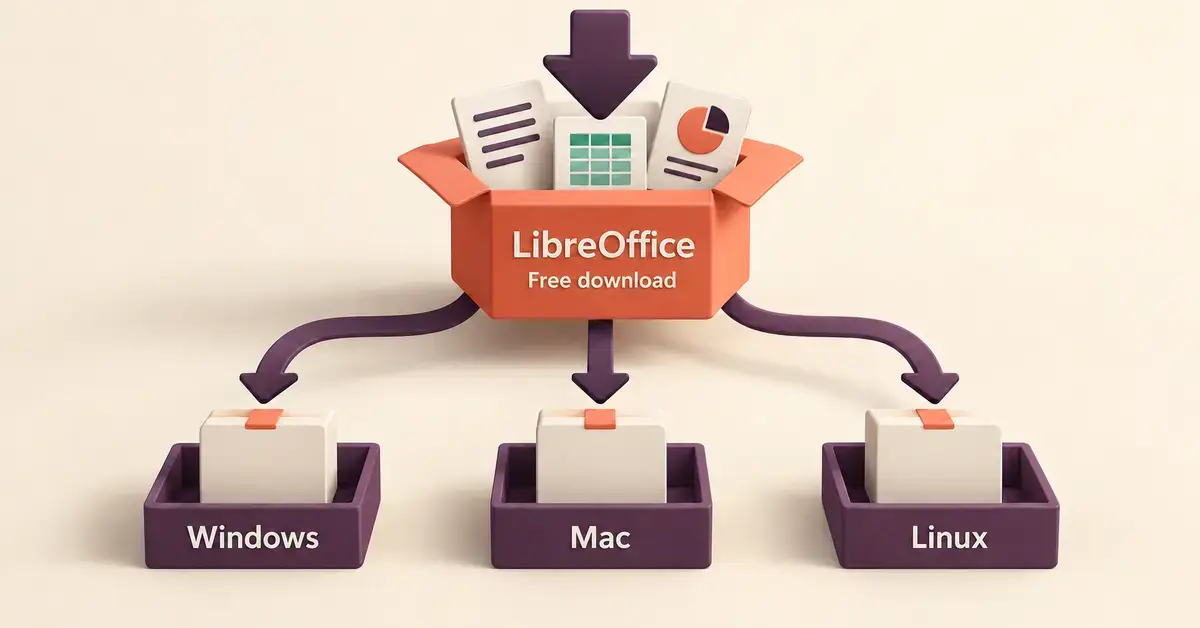
LibreOffice is a free, open-source office suite that reads and writes Word, Excel and PowerPoint files, and it can be downloaded legally at no cost for Windows, Mac and Linux. This guide shows you exactly where to get it from the official source, which of the two available versions to choose, how to install it on each operating system, and how to check that the copy you are downloading is genuine. Everything below is based on the current releases as of October 2026.
Quick Facts
| Developer | The Document Foundation |
|---|---|
| Latest version | 26.8.1 (newer line) / 26.2.6 (more tested line) |
| Official download | libreoffice.org/download |
| Price | Free (no subscription, no account) |
| Licence | Mozilla Public License v2.0 (open source) |
| Download size | Around 350 MB (Windows installer) |
| Operating systems | Windows 10/11 (64-bit and ARM), macOS 11+ (Intel and Apple Silicon), Linux (.deb and .rpm) |
| Included apps | Writer, Calc, Impress, Draw, Base, Math |
What is LibreOffice?
LibreOffice is a complete office suite built and maintained by The Document Foundation, a non-profit organisation based in Berlin. It is the direct successor to the original OpenOffice.org project and includes a word processor, spreadsheet, presentation tool, drawing program, database front-end and formula editor — the same core jobs people use Microsoft Office or Google Workspace for.
Because it is open source, the program’s code is public and anyone can inspect, use or improve it. There is no account to create, no subscription, no advertising and no forced artificial-intelligence features. You download the installer once and the software runs entirely on your own computer, so your documents never have to leave your machine. That combination of price (free) and privacy (local) is the main reason schools, charities, government departments and home users choose it.
Is LibreOffice really free?
Yes. LibreOffice is free in both senses of the word: it costs nothing to download, and it is released under the Mozilla Public License v2.0, an open-source licence that lets you use it on as many computers as you like, at home or at work, without paying a fee or buying a key. There is no trial period, no “pro” upgrade and no catch.
The Document Foundation does ask for voluntary donations to fund development, and you may see a donation page after downloading, but giving money is entirely optional and does not change the software you receive. If a website asks you to pay for LibreOffice, to enter card details, or to buy a “licence code”, you are not on the official project and should close the page.
Where to download LibreOffice safely
Always download LibreOffice from the official website, libreoffice.org/download. This is the single safest source because the files there are built and digitally signed by The Document Foundation itself. The same safe-source rule applies to every free office suite — it is the first thing we stress in our guide to whether OpenOffice is safe to download and use.
Choosing between the two versions
The download page offers two release lines, and new users often hesitate over which to pick:
- The newer line (currently 26.8.x) has the latest features and improvements. The Document Foundation historically calls this the “Fresh” branch. It is the right choice for home users and anyone who wants the newest capabilities.
- The more tested line (currently 26.2.x) has had several months of extra bug-fixing and is aimed at businesses and cautious users who value stability over the very newest features. This is historically called the “Still” branch.
Both are complete, fully supported and free. If you are unsure, take the newer line; you can switch later without losing any documents.
Picking the right build for your computer
The download page detects your system automatically, but it is worth knowing what it is offering you. Modern Windows PCs use the 64-bit (x86-64) installer, while newer Windows-on-ARM devices use the ARM64 build. Macs come in two types — Apple Silicon (M-series chips) and older Intel models — and each has its own file. Linux users can choose a Debian (.deb) or Red Hat (.rpm) package. Downloading the build that matches your hardware avoids the most common install failure.
Sources to avoid
Third-party “download portals”, app shops bundled with extra toolbars, and listings that charge a fee are the usual traps. They sometimes wrap the real installer in adware or an outdated build. Sticking to the official site, or to your Linux distribution’s own software manager, keeps you clear of all of them.
Checking your download is genuine
For most home users, downloading from libreoffice.org over a secure (https) connection is protection enough. If you are installing across an organisation or simply want to be certain, The Document Foundation publishes a cryptographic checksum and a digital signature alongside each installer. Comparing the checksum of the file you downloaded against the published value confirms the file arrived intact and was not tampered with in transit. The links for these are on the same download page, next to each build.
How to download and install LibreOffice on Windows
Installing on Windows 10 or Windows 11 takes only a few minutes:
- Open libreoffice.org/download and select the Windows installer (the newer line is the default). The file is a Windows Installer package (.msi) of roughly 350 MB.
- When the download finishes, double-click the .msi file. Windows may ask for permission to make changes — this is normal, because installing software needs administrator rights.
- Follow the setup wizard. The “Typical” option suits almost everyone; choose “Custom” only if you want to leave out particular components.
- Click Install, wait for it to finish, then launch LibreOffice from the Start menu.
On first launch you can set LibreOffice to open Word, Excel and PowerPoint files by default if you wish, or leave your existing program in charge of them.
How to download and install LibreOffice on Mac
On a Mac, the download is a disk-image (.dmg) file. Open libreoffice.org/download and pick the build that matches your chip: the Apple Silicon version for M1, M2, M3 and later Macs, or the Intel version for older models. If you are unsure, click the Apple menu and choose “About This Mac” to see which chip you have.
Once the .dmg downloads, double-click it and drag the LibreOffice icon into your Applications folder. The first time you open it, macOS Gatekeeper may warn that the app was downloaded from the internet; approving it once is enough. LibreOffice needs macOS 11 or newer. For step-by-step screenshots, the Gatekeeper prompt and a separate language-pack note, see our dedicated guide to installing LibreOffice for Mac safely.
How to download and install LibreOffice on Linux
On Linux the simplest and safest route is your distribution’s own software manager. On Ubuntu, Linux Mint, Fedora and most mainstream distributions, LibreOffice is already installed or available in a click from the software centre, and updates arrive automatically with the rest of the system.
If you need a newer version than your distribution ships, The Document Foundation provides community .deb and .rpm packages on the download page as compressed archives. These are intended for special cases rather than everyday use; for most people the built-in package is the better choice because it stays updated and matches the rest of the desktop. LibreOffice on Linux expects a reasonably current system — kernel 4.18 or newer and glibc 2.27 or newer — which any supported distribution released in the last few years comfortably meets.
What are the system requirements?
LibreOffice is light on hardware and runs happily on modest and older machines. The official minimums are well below what any computer bought in the last decade provides, so the suite is a practical way to keep an ageing laptop useful.
- Windows: Windows 10 or 11 (also Windows Server 2012 to 2022), a Pentium-compatible processor, 256 MB of RAM (512 MB recommended), up to 1.5 GB of free disk space and a 1280×800 screen.
- macOS: macOS 11 or newer, Intel or Apple Silicon, 512 MB of RAM and up to 800 MB of disk space.
- Linux: kernel 4.18 or higher, glibc 2.27 or higher, 256 MB of RAM (512 MB recommended), up to around 1.55 GB of disk space and a GNOME, KDE or compatible desktop.
One extra note: a few features — most importantly the Base database tool and some wizards — need Java (specifically a JDK) to be installed separately. Writer, Calc and Impress work perfectly without it, so most people can ignore Java entirely.
What is included in the download?
A single LibreOffice download installs the whole suite. You do not pick and choose apps the way you buy them individually elsewhere; they all arrive together and share a common look and file handling.
- Writer — a word processor for letters, reports and books, comparable to Microsoft Word.
- Calc — a spreadsheet with formulas, charts and pivot tables, comparable to Excel.
- Impress — a presentation tool for slide decks, comparable to PowerPoint.
- Draw — a program for diagrams, flowcharts and simple page layout.
- Base — a database front-end for building forms and queries (this is the part that needs Java).
- Math — an editor for writing mathematical and scientific formulas.
LibreOffice saves by default in the OpenDocument Format (ODF) — file types such as .odt, .ods and .odp — which is an open international standard. It also opens and saves Microsoft formats like .docx, .xlsx and .pptx, so you can exchange files with colleagues who use Office. If you want to understand the native format and how it stacks up against other suites, our explainer on ODT files and office-suite compatibility goes deeper.
What is new in LibreOffice 26.8?
The 26.8 line, released in August 2026, is the current newer branch and the work of more than 200 contributors. It is an evolutionary rather than dramatic update, with the headline changes aimed at document quality rather than flashy additions. Notable improvements include:
- A new Paragraph Composer in Writer that balances word spacing across a whole paragraph for cleaner-looking justified text.
- Native support for OpenType variable fonts, giving finer control over typography.
- A Draft view in Writer that hides headers, footers and margins while you edit.
- Calculated Fields in Calc pivot tables and improved compatibility with Excel’s .xlsx files.
- Mixed page sizes within a single Impress or Draw document, plus built-in 16:9 and 4:3 templates.
The project has also publicly committed to keeping any AI features optional rather than forcing them on users — a deliberate contrast with some commercial suites.
How do I keep LibreOffice up to date?
Keeping LibreOffice current matters because updates include security fixes as well as features. How you update depends on your operating system. On Windows and Mac, LibreOffice checks for new versions and tells you when one is available; you then download the latest installer from the official site and run it over the top of your existing copy, which keeps all your settings and documents. On Linux, updates arrive automatically through your distribution’s normal software updates, so there is nothing extra to do.
Point releases (for example moving from 26.8.0 to 26.8.1) are small, safe and worth installing promptly. Moving between major lines — say from the 26.2 line to the 26.8 line — is also straightforward, but businesses that have standardised on the more tested branch may prefer to wait until it moves forward on its own schedule.
How does LibreOffice compare to other office suites?
LibreOffice is the most actively developed free office suite, but it is not the only option. Its closest relative is Apache OpenOffice, which shares the same ancestry but updates far less often; our side-by-side look at LibreOffice versus OpenOffice explains why most people now pick LibreOffice. If you specifically want the OpenOffice installer instead, see our guide to downloading OpenOffice. The table below sets LibreOffice against the main paid and free alternatives on the points that usually decide the choice.
Office Suite Comparison
| Suite | Cost | Runs on | Best for |
|---|---|---|---|
| LibreOffice | Free | Windows, Mac, Linux (offline) | Full-featured free desktop suite, privacy |
| Apache OpenOffice | Free | Windows, Mac, Linux (offline) | Familiar classic interface, updates slowly |
| Microsoft 365 | Paid subscription | Windows, Mac, web, mobile | Best Office-format fidelity and co-authoring |
| Google Workspace | Free personal / paid business | Web, mobile | Cloud collaboration and real-time editing |
| ONLYOFFICE | Free / paid tiers | Windows, Mac, Linux, web | Strong Microsoft-format compatibility |
| FreeOffice | Free | Windows, Mac, Linux | Office-like interface, free for private and business use |
For a broader list of free and paid options beyond this table, our roundup of OpenOffice and LibreOffice alternatives covers cloud tools as well as desktop ones.
Common mistakes when downloading LibreOffice
Most problems people hit are avoidable and come down to a handful of recurring errors:
- Downloading from an unofficial site. Copies on third-party portals may be bundled with adware or be out of date. Use libreoffice.org or your Linux software manager, nothing else.
- Paying for it. LibreOffice is free. Any site charging a fee, a “licence key” or a subscription is not the real project.
- Grabbing the wrong build. Installing an Intel Mac version on an Apple Silicon Mac, or a 32-bit build on a 64-bit PC, causes avoidable failures. Let the official page auto-detect, or match the build to your hardware.
- Expecting pixel-perfect Microsoft compatibility. LibreOffice opens and saves .docx, .xlsx and .pptx well, but very heavily formatted files — complex macros, intricate layouts — can shift slightly. Save in ODF for your own work and export to Microsoft formats only when sharing.
- Skipping the stability choice. Businesses that need maximum reliability should pick the more tested line rather than the newest one.
Who is LibreOffice for?
LibreOffice suits anyone who needs a capable office suite without a subscription. Students and households get a full set of document tools at no cost. Small businesses and non-profits avoid per-seat licence fees. Privacy-conscious users keep their files on their own computer rather than in the cloud. People with older hardware get software that still runs on modest machines. It is less ideal if your workplace depends on real-time co-authoring or flawless round-tripping of complex Microsoft templates — in those cases a cloud suite or Microsoft Office may fit better — but for the large majority of everyday writing, spreadsheets and presentations, LibreOffice does the job for free.
Sources
Frequently Asked Questions (FAQ)
Is LibreOffice completely free and legal to download?
Yes. LibreOffice is free, open-source software released under the Mozilla Public License v2.0. You can legally download and install it on as many computers as you like, for personal or business use, without paying anything or buying a key.
What is the latest version of LibreOffice?
As of October 2026 the newer line is LibreOffice 26.8.1 and the more-tested line is 26.2.6. Both are current and fully supported; the newer line has the latest features, while the other has had extra months of bug-fixing for conservative or business use.
Can LibreOffice open Microsoft Word and Excel files?
Yes. LibreOffice opens and saves Microsoft formats including .docx, .xlsx and .pptx, as well as its own OpenDocument formats. Simple documents transfer cleanly; very complex layouts or macros can shift slightly, so save in ODF for your own work and export to Office formats when sharing.
Does LibreOffice work on Windows 11 and the newest macOS?
Yes. LibreOffice is fully supported on Windows 10 and 11 and on macOS 11 or newer, including both Intel and Apple Silicon Macs. There are also builds for Windows on ARM and for Linux, so most current computers are covered.
Do I need Java to run LibreOffice?
Not for most tasks. Writer, Calc and Impress work without Java. You only need a Java runtime (a JDK) for certain features, chiefly the Base database tool and some wizards, so most users can install LibreOffice and ignore Java entirely.
