
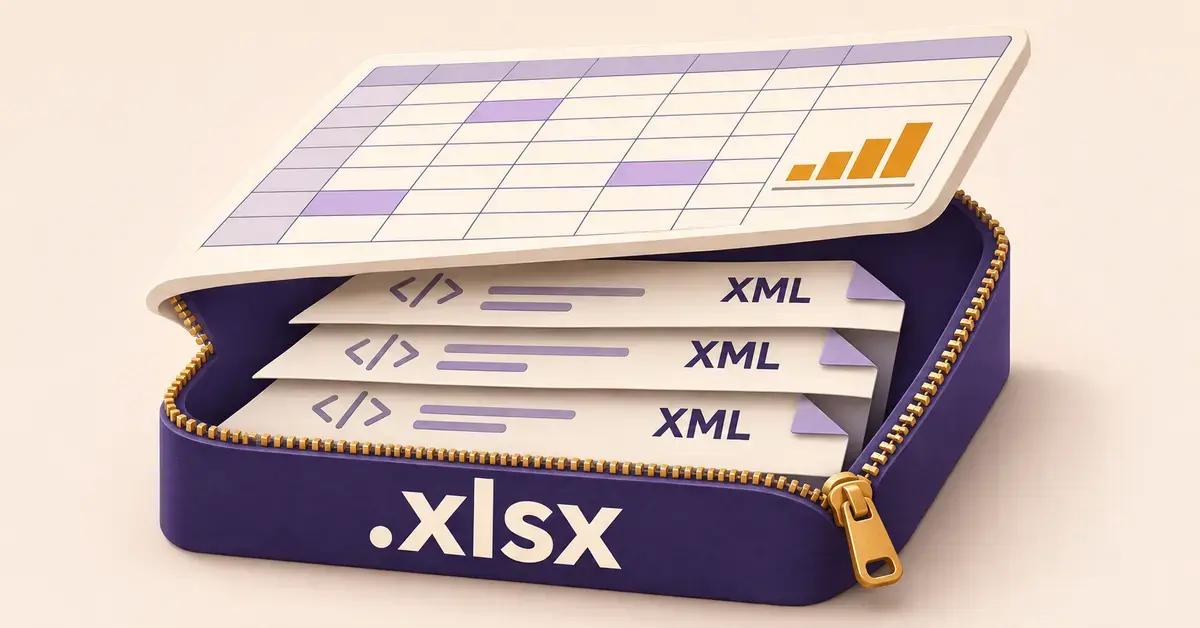
An XLSX file is a Microsoft Excel spreadsheet saved in the Office Open XML format, which has been Excel’s default file type since Excel 2007. The .xlsx extension marks a workbook that stores your data in rows and columns, along with formulas, charts and formatting. Despite looking like a single document, an XLSX file is really a compressed folder of small text files – and you do not need to own Microsoft Excel to open one. This guide explains what the format is, what sits inside it, and how to open, edit and convert an XLSX file free on any device.
Quick facts
| Format type | Spreadsheet (Office Open XML / SpreadsheetML) |
| File extension | .xlsx |
| Developer | Microsoft; standard maintained by Ecma International and ISO/IEC |
| First used | Microsoft Excel 2007 (default format) |
| Underlying structure | ZIP archive of XML files (Open Packaging Conventions) |
| Standard | ECMA-376 / ISO/IEC 29500 |
| MIME type | application/vnd.openxmlformats-officedocument.spreadsheetml.sheet |
| Opens with | Microsoft Excel, Google Sheets, LibreOffice Calc, Apache OpenOffice Calc, WPS Spreadsheets, Apple Numbers |
What is an XLSX file?
An XLSX file is the standard spreadsheet format created by Microsoft Excel. It belongs to the Office Open XML family – the same open, XML-based standard behind the DOCX document format and the PPTX presentation format. Microsoft introduced it with Excel 2007 to replace the older binary XLS format, and it has been the default type for new workbooks ever since.
The format is not Microsoft-only. It is published as an international standard (ECMA-376, and ISO/IEC 29500), which is why free programs such as Google Sheets, LibreOffice Calc and Apache OpenOffice Calc can open and save .xlsx files without any Microsoft software. If you already understand what a DOCX file is, an XLSX file is the spreadsheet equivalent: the same packaging idea applied to rows, columns and formulas instead of paragraphs.
Is XLSX the same as Excel?
No – XLSX is a file format, while Excel is the program. Excel is the Microsoft application you use to build spreadsheets; XLSX is one of several formats Excel can save them in. The distinction matters because many other apps read and write XLSX too, so an .xlsx file is not locked to Microsoft. You can create an XLSX file in Google Sheets or LibreOffice and open it in Excel, or the other way around.
What’s inside an XLSX file?
An XLSX file is actually a ZIP archive – a compressed folder holding a set of small XML (plain-text) files that describe your workbook. This is why XLSX files are usually smaller than the old XLS files that stored the same data, and why a corrupted workbook can sometimes be repaired.
You can see this for yourself: make a copy of an .xlsx file, change the extension from .xlsx to .zip, then open it with any unzip tool. Inside you will typically find:
- A [Content_Types].xml file that lists the kinds of parts in the package.
- A docProps folder with document properties such as the author and title.
- An xl folder containing the heart of the workbook: workbook.xml (the list of sheets), a worksheets folder with one XML file per sheet, and a shared-strings file that stores text once and reuses it to keep the file small.
- _rels folders that record the relationships linking the parts together.
This arrangement follows the Open Packaging Conventions used across Office Open XML. You never need to touch these parts to use a spreadsheet, but knowing the structure explains why XLSX is compact, portable and widely supported.
XLSX vs XLS: what changed?
XLSX replaced XLS as Excel’s default format in 2007, and the two are not the same thing. XLS is a legacy binary format – a single opaque file – used by Excel 97 through 2003. XLSX is the newer XML-based format, and it brought three practical gains: smaller files through compression, a much larger worksheet grid, and better resistance to hidden macro viruses because a standard .xlsx cannot contain macros at all.
That last point is the reason Excel splits the modern format into variants. A plain .xlsx holds no programmable code; macro-enabled workbooks use the separate .xlsm extension, and there is also a binary .xlsb variant for very large files. The table below sets XLSX beside the formats you are most likely to meet.
Format comparison
| Format | Extension | Based on | Stores macros? | Typical size | Best for |
|---|---|---|---|---|---|
| XLSX | .xlsx | Office Open XML (zipped XML) | No | Small (compressed) | Standard Excel workbooks |
| XLS | .xls | Legacy binary (Excel 97–2003) | Yes | Larger | Files from older Excel versions |
| XLSM | .xlsm | Office Open XML + macros | Yes (VBA) | Small | Workbooks that run macros |
| XLSB | .xlsb | Binary Office Open XML | Yes | Smallest, fast | Very large workbooks |
| ODS | .ods | OpenDocument (zipped XML) | Yes (Basic) | Small | LibreOffice / OpenOffice; open standard |
| CSV | .csv | Plain text | No | Smallest | Simple data exchange, no formatting |
If you work with the open-standard equivalent, see how the format compares with an ODS file, the OpenDocument spreadsheet used by LibreOffice and OpenOffice.
How to open an XLSX file for free
You can open an XLSX file on almost any device without buying Excel. The best choice depends on what you already have installed.
In Microsoft Excel
If you have Excel on Windows or Mac, double-click the file and it opens straight away, because .xlsx is Excel’s native format. Excel on the web and the free Excel mobile apps open XLSX files too.
In Google Sheets (free in your browser)
Google Sheets opens XLSX files at no cost. Upload the file to Google Drive and double-click it, and it opens in Sheets while staying in .xlsx format; you can also let Drive convert it to a native Google Sheet. You can edit Excel files directly in Sheets with changes saved in the original Excel format, or convert a workbook to a Google Sheet and download it back in Excel (.xlsx) format. A Google account is all you need.
In LibreOffice or OpenOffice Calc
The free desktop suites open XLSX files directly. In LibreOffice Calc or OpenOffice Calc, choose File then Open and select the spreadsheet. Both run on Windows, Mac and Linux, so they are a reliable option when you have no internet connection, and both are free to download if you do not have a suite installed.
On a phone or tablet
On iPhone, iPad or Android, install the free Microsoft Excel app, the Google Sheets app, or Apple Numbers (on Apple devices), and open the file from your email, cloud storage or downloads. Each reads XLSX without a paid subscription for basic viewing and editing.
Without installing anything
If you only need to read a workbook once, a browser-based tool is quickest. You can use Excel online free with a Microsoft account, or upload the file to Google Sheets. Neither requires a desktop install.
How to edit an XLSX file
Editing an XLSX file works the same way as opening one: use any spreadsheet app, make your changes, and save. The only thing to watch is the format you save in.
- In Excel: edit as normal and save – it stays .xlsx by default.
- In Google Sheets: if you opened the raw file, use File then Save, or Download, and keep the Microsoft Excel (.xlsx) option so the recipient still gets an XLSX file. If you converted it to a Google Sheet, download it as .xlsx when you are done.
- In LibreOffice or OpenOffice Calc: when you save, the app may offer to keep the file in Excel format or switch to its own format – choose “Keep Current Format” (Excel .xlsx) if the file needs to go back to an Excel user.
Edits made in a non-Microsoft app are reliable for text, numbers, formulas and most formatting. Very advanced Excel features – some pivot-table options, certain charts, and macros – may not carry over perfectly, which is covered under common problems below.
How to convert an XLSX file
Converting an XLSX file means saving it in a different format for a specific purpose. The three most common targets are PDF, CSV and an open-standard spreadsheet.
To PDF (for sharing or printing)
Turn a workbook into a fixed, read-only document with File then Export or Print to PDF in any spreadsheet app. A PDF looks identical on every device and cannot be edited by accident. For layout tips and device-by-device steps, see the guide on how to convert Excel to PDF.
To CSV (for plain data)
A CSV file is plain text with no formulas or formatting, used to move raw data between systems. Save as CSV when another program asks for it – but remember a CSV keeps only one sheet and drops formatting. If you need to go the other way, the article on how to open a CSV file explains how to avoid mangled dates and lost leading zeros.
To ODS or Google Sheets
Save as ODS (OpenDocument Spreadsheet) when you want a fully open-standard file, or import the workbook into Google Sheets to collaborate online. Both LibreOffice and Google let you switch formats from the same Save or Download menu.
XLSX limits and specifications
A single XLSX worksheet can hold far more data than the format it replaced. Microsoft’s published specifications set the grid at 1,048,576 rows by 16,384 columns per sheet, with up to 32,767 characters in a single cell and formulas up to 8,192 characters long. The old XLS format was limited to 65,536 rows and 256 columns, so XLSX removed a ceiling that large datasets used to hit.
There is no fixed maximum file size for an XLSX workbook; the practical limit is your computer’s memory, because Excel loads the whole workbook to work on it. For genuinely huge datasets that slow Excel down, the binary .xlsb variant opens and saves faster, or a database is the better tool.
Is it safe to open an XLSX file?
A plain XLSX file is safe to open because the format cannot store macros – the small programs that have historically carried spreadsheet malware. That is a deliberate split in the format: ordinary workbooks are .xlsx, and only the macro-enabled .xlsm (or older .xls) variant can run code.
The sensible rule is caution by extension. Open an .xlsx attachment from a known sender normally. If a file arrives as .xlsm or .xls and you were not expecting macros, do not click “Enable Content” unless you trust the source – that prompt is what lets any embedded code run. When in doubt, open the file in Google Sheets or in a browser preview, which does not run Excel macros.
Common problems with XLSX files
Most XLSX trouble comes from version mismatches and from saving in the wrong format. The frequent ones are easy to avoid.
- An old version of Excel will not open it. Excel 2003 and earlier predate the format. The fix today is to open the file in a free current app such as Google Sheets or LibreOffice, or ask the sender to save a copy as .xls.
- Macros disappear after editing in another app. Google Sheets and other non-Microsoft tools do not run Excel VBA macros, and saving a macro workbook as plain .xlsx strips them out. Keep macro files as .xlsm and edit them in Excel.
- Formatting shifts between apps. Fonts, conditional formatting and some charts can look slightly different in Sheets or Calc than in Excel. For a document that must look identical everywhere, export to PDF.
- The file looks corrupted. A workbook that will not open may have been renamed or truncated in transit. Because XLSX is a ZIP package, Excel’s built-in Open and Repair option can often recover the data.
- Confusing .xlsx with .xlsb or .csv. These are different formats. A .xlsb is a binary Excel workbook, and a .csv holds only plain data from one sheet – saving an XLSX as CSV quietly discards extra sheets, formulas and formatting.
Sources
Frequently Asked Questions
Is an XLSX file the same as Excel?
No. Excel is the Microsoft program; XLSX is the file format it saves in by default. Many other apps, including Google Sheets and LibreOffice Calc, can also open and create XLSX files, so an .xlsx file is not tied to owning Excel.
Why won’t my older version of Excel open an XLSX file?
Excel 2003 and earlier were released before the XLSX format existed, so they cannot read it on their own. The simplest fix is to open the file in a free up-to-date program such as Google Sheets or LibreOffice Calc, or ask whoever sent it to save a copy in the older .xls format.
What is the difference between .xlsx and .xlsm?
A .xlsx file holds data, formulas and formatting but cannot contain macros. A .xlsm file is the macro-enabled version that can store and run programmable VBA code. If a workbook needs to run macros, it must be saved as .xlsm; otherwise .xlsx is the safer default.
Does converting an XLSX file to another format lose data?
It can, depending on the target. Converting to PDF keeps the appearance but makes the file read-only. Converting to CSV keeps only one sheet as plain text and drops formulas and formatting. Saving to ODS or a Google Sheet preserves most content, though very advanced Excel features may not transfer exactly.
