
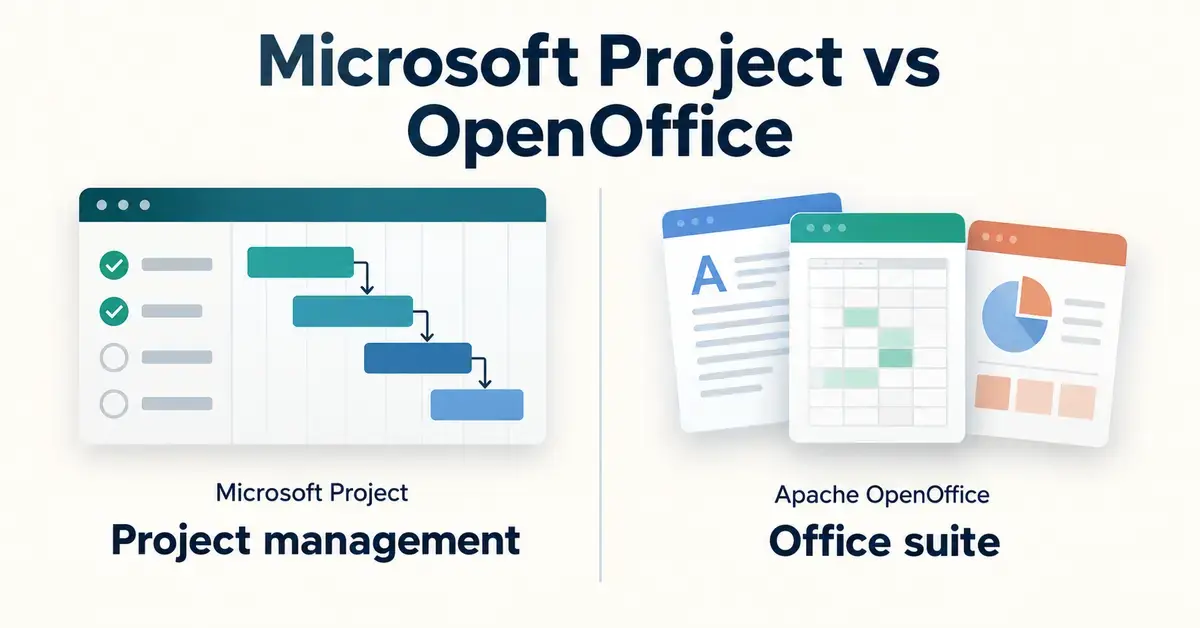
If you are weighing up Microsoft Project against Apache OpenOffice, the first thing to know is that they are not really the same kind of product. Microsoft Project is a dedicated project-management application — software built to schedule tasks, allocate people and track budgets. Apache OpenOffice is a free, general-purpose office suite for writing documents, building spreadsheets and making presentations. People search for them together because both carry the Office-productivity label, so this guide compares them honestly: what each one is, where a comparison actually makes sense, what they cost in New Zealand dollars in 2026, and which tool fits which job.
Key Points
- Different tools, not rivals: Microsoft Project is a dedicated project-management app; Apache OpenOffice is a free general office suite with no project-management program.
- Cost: OpenOffice is free under the Apache License 2.0; Microsoft Project starts at about NZ$16.20 per user/month and is now delivered through Microsoft Planner.
- Current versions: Apache OpenOffice 4.1.16 (released 10 November 2025) runs on Windows, macOS and Linux; Project’s desktop app is Windows-only.
- Project planning: for simple timelines, OpenOffice Calc with a Gantt template is enough; for dependencies, resource levelling and portfolios you need Microsoft Project.
- Get OpenOffice safely: download only from the official Apache OpenOffice site.
- Privacy: putting project data in Microsoft’s cloud has Privacy Act 2020 implications; OpenOffice keeps files on your own device by default.
What Microsoft Project and Apache OpenOffice actually are
The clearest way to choose between them is to understand that they solve different problems. One is a specialist scheduling tool you pay for; the other is a free everyday document suite. Mixing the two up is the single biggest mistake buyers make, so it is worth separating them before comparing anything.
What is Microsoft Project?
Microsoft Project is Microsoft’s project-management software. It is designed around tasks, dependencies, timelines and resources — the things a project manager juggles. Its signature features are interactive Gantt charts (horizontal bar charts that show when each task starts, how long it runs and what depends on what), automatic scheduling, critical-path analysis, resource levelling and cost tracking. In 2026 Microsoft delivers these capabilities through Microsoft Planner: what used to be sold as Project Plan 1 is now Planner Plan 1, and Project Plan 3 and Plan 5 are now called “Planner and Project Plan 3” and “Planner and Project Plan 5”. The old web app, Project for the web, has been folded into Planner, and the separate Project Online service is scheduled to retire on 30 September 2026. There is still a desktop application (Project Professional and Project Standard 2024) for people who prefer to work offline.
What is Apache OpenOffice?
Apache OpenOffice is a free, open-source office suite maintained by the Apache Software Foundation. The current version, 4.1.16, was released on 10 November 2025 and runs on Windows, macOS and Linux in 41 languages. It bundles six programs: Writer (word processor), Calc (spreadsheets), Impress (presentations), Draw (vector graphics), Base (databases) and Math (equations). Crucially, it has no dedicated project-management program. If you want to plan a project in OpenOffice, you do it inside Calc using a spreadsheet and a Gantt-style template — which works for simple timelines but is nothing like Project’s automated scheduling engine. If you are comparing free suites more broadly, our guide to LibreOffice vs OpenOffice covers the closest open-source rival.
Can you even compare a project tool with an office suite?
Only on the points they genuinely share. Microsoft Project and OpenOffice do not overlap on word processing, email or presentations — Project does none of those, and OpenOffice does them all for free. They do, however, overlap on one real question: how well can each one plan and track a project? That is where a fair comparison lives, alongside the practical factors any New Zealand buyer cares about: price, platforms, cloud access, collaboration, support and data privacy. The sections below compare them on exactly those grounds and nothing else, so you are not sold a false equivalence.
Project-management features compared
Microsoft Project wins decisively on dedicated project management, because that is the only thing it does. OpenOffice can imitate the basics in a spreadsheet but cannot match the automation. Here is how the main capabilities stack up.
Scheduling and Gantt charts
Microsoft Project builds a live Gantt chart automatically: change one task’s duration and every dependent task shifts, and the critical path (the sequence of tasks that determines the project’s finish date) recalculates on its own. In OpenOffice Calc you can produce a static Gantt-style bar chart with conditional formatting, but you move the bars yourself and nothing recalculates. For a one-off timeline that is fine; for a changing plan it is laborious. If a simple visual timeline is all you need, our Gantt chart template guide shows how to build one free in a spreadsheet.
Resource and cost management
Microsoft Project lets you assign people and equipment to tasks, spot who is over-allocated, level workloads, set pay rates and roll costs up into a budget. Plan 5 adds portfolio and demand management for organisations running many projects at once. OpenOffice has none of this as a built-in feature; you would have to build your own spreadsheet formulas and maintain them by hand, with no warnings when someone is booked on two jobs at the same time.
Can OpenOffice do project management at all?
Yes, but only lightly. For a small project — a short task list, a few milestones, a single person’s time — a Calc spreadsheet with a template is perfectly workable and costs nothing. The moment you need dependencies, automatic rescheduling, resource levelling or reporting across projects, you have outgrown a spreadsheet and need real project software such as Microsoft Project (or a lighter cloud tool). Many teams also track effort separately; a timesheet template can sit alongside either tool for recording actual hours.
Pricing in New Zealand (2026)
Apache OpenOffice is completely free; Microsoft Project is a paid product with several tiers. OpenOffice has no purchase price, no subscription and no per-user fee — you download it and use every program in the suite at no cost. Microsoft Project is sold per user, either as a monthly subscription through Microsoft Planner or as a one-off desktop licence. The table below sets the current options side by side; prices are the advertised New Zealand rates (paid yearly) where Microsoft publishes them in NZD, and US list prices where it does not, so treat the USD figures as a guide and confirm the NZD amount at checkout.
Comparison
| Factor | Apache OpenOffice | Microsoft Project |
|---|---|---|
| Type of software | General office suite (Writer, Calc, Impress, Draw, Base, Math) | Dedicated project-management app (via Microsoft Planner) |
| Price (NZ, 2026) | Free | Planner Plan 1 ~NZ$16.20; Planner & Project Plan 3 NZ$48.50; Plan 5 from US$55 — per user/month, paid yearly |
| One-off desktop licence | Not applicable (free) | Project Standard 2024 ~US$680; Project Professional 2024 ~US$1,130 |
| Licence model | Open source (Apache License 2.0) | Commercial, per-user |
| Operating systems | Windows, macOS, Linux | Desktop app Windows-only; Planner web app in any browser |
| Gantt charts | Manual, static (built in Calc) | Automatic, interactive, with critical path |
| Resource & cost management | None built in | Yes (levelling, rates, budgets; portfolios on Plan 5) |
| Cloud & collaboration | Desktop only; files via third-party cloud storage | Cloud-first; real-time, integrates with Microsoft Teams |
| Support | Community forums & documentation | Official Microsoft support |
| Current version / status | 4.1.16 (Nov 2025), actively maintained | Delivered via Planner; Project Online retires 30 Sep 2026 |
The headline difference is stark: OpenOffice costs nothing, while even the cheapest Microsoft Project tier (Planner Plan 1) is around NZ$16.20 per user each month, and the desktop client you need for serious scheduling sits in Plan 3 at NZ$48.50 per user per month. If you only need the broader Office apps rather than project software, compare the suites in our Google Workspace vs Microsoft 365 guide, and see the Microsoft 365 Business plans for what a full Office subscription includes (Project is not bundled in those plans by default).
Licensing: open source versus commercial
OpenOffice is open-source and Microsoft Project is proprietary, and that shapes everything else. Apache OpenOffice is released under the Apache License 2.0, which means anyone can download, install, copy and even inspect its source code for free, on as many machines as they like. Microsoft Project is commercial software: you buy the right to use it per user, you cannot see or modify the code, and features are tied to the tier you pay for. Open source suits budget-conscious individuals, schools, community groups and anyone who dislikes recurring fees; commercial licensing buys you polish, official support and a feature set built specifically for professional project managers. There is also a trust dimension: because OpenOffice’s code is open to inspection, security researchers and volunteers can audit it, whereas with Microsoft Project you are relying on Microsoft’s own testing and release process. Neither approach is automatically safer — both ship regular fixes — but they put the responsibility in different hands.
Platforms and system requirements
OpenOffice runs almost anywhere, while Microsoft Project’s desktop app is Windows-only. Apache OpenOffice 4.1.16 installs on Windows, macOS and Linux and is light on resources, so it runs happily on older hardware. The Microsoft Project desktop application (Project Standard/Professional 2024) runs only on Windows — there is no Mac desktop version — so Mac and Linux users must use the browser-based Planner experience instead. Planner for the web works in any modern browser on any operating system, provided you have a paid licence and an internet connection.
File formats and compatibility
The two products save completely different kinds of files, which matters if you need to share work. Apache OpenOffice uses the OpenDocument Format (ODF) by default — .odt for text, .ods for spreadsheets and .odp for presentations — and it can also open and save Microsoft formats such as .docx and .xlsx, so you can exchange everyday documents with Microsoft 365 users. Complex Word or Excel layouts can shift slightly on conversion, but for most documents the round-trip is clean. Microsoft Project saves schedules in its own .mpp format, which OpenOffice cannot open at all; Project can also export plans to PDF, Excel or image formats for people who do not own the software. In practice this means an OpenOffice user can read a Project plan only if the project manager exports it first, while a Project user cannot open a native OpenOffice document without an Office app or OpenOffice installed.
Cloud, collaboration and remote access
Microsoft Project is now cloud-first, whereas OpenOffice is strictly a desktop suite. Through Microsoft Planner, Project plans live in the cloud: team members can open the same plan in a browser, see updates in near real time, and link tasks to Microsoft Teams and other Microsoft 365 apps. That makes it strong for distributed or hybrid teams who need one shared source of truth. OpenOffice has no cloud service of its own — you can save its files to Google Drive, OneDrive or Dropbox and open them on another machine, but there is no live co-authoring and each person needs OpenOffice installed locally. For genuinely collaborative, browser-based editing, a cloud suite such as Google Workspace is a better fit, and our list of OpenOffice alternatives covers those options.
Support, security and privacy
Microsoft offers paid, structured support; OpenOffice relies on its community. Buying Microsoft Project gives you Microsoft’s documentation, service-level commitments and the ability to raise a support ticket. OpenOffice is backed by volunteer forums, mailing lists and community documentation — excellent and free, but with no guaranteed response time.
On security, both receive updates, but you have to keep either one patched. Microsoft pushes security fixes to subscribers automatically; OpenOffice ships periodic security releases (4.1.16 itself was a security and bug-fix update) that you must install yourself. For New Zealand organisations, the bigger question is privacy. Putting project data in Microsoft Planner means storing it in Microsoft’s cloud, so you should check where that data lives and whether it meets your obligations under the Privacy Act 2020 before uploading client or staff information. OpenOffice keeps everything on your own device by default, which sidesteps cloud data-residency questions entirely but also means you are responsible for your own backups and encryption.
Which should you choose?
Choose based on the job, not the brand. The two tools rarely compete for the same user once you are clear on what you need.
- Choose Microsoft Project if project management is the point: you run multi-stage projects with dependencies, deadlines and shared resources, you need automatic scheduling and reporting, and you are happy to pay per user. It is aimed at professional project managers and teams.
- Choose Apache OpenOffice if you need free, offline word processing, spreadsheets and presentations, and your “project management” amounts to a task list or a simple timeline you can keep in Calc. It suits students, home users, community groups and small businesses watching costs.
- Use both if it fits: run your schedule in Project (or a free cloud tool) and write your documents and reports in OpenOffice. They are complements more often than rivals.
Common mistakes when comparing them
Most confusion comes from treating these products as interchangeable. Avoiding a few traps will save you money and frustration.
- Expecting OpenOffice to replace Microsoft Project. It has no dedicated project-management app; a Calc Gantt chart is a manual stand-in, not an equivalent.
- Expecting Microsoft Project to replace OpenOffice. Project does not write letters, build general spreadsheets or make slide decks — you still need Office apps or OpenOffice for that.
- Assuming Project comes with Microsoft 365. It is licensed separately; a Microsoft 365 Business subscription does not include it by default.
- Using the old names. “Office 365” is now Microsoft 365, and Microsoft Project is delivered through Microsoft Planner — check you are buying the current tier, not a retired one.
- Uploading sensitive data without checking privacy. Moving plans into the cloud has Privacy Act implications; confirm data handling first.
- Downloading OpenOffice from an unofficial site. Only use the official source to avoid bundled adware; see our safe download Apache OpenOffice guide.
Sources
- Apache OpenOffice — Announcing Apache OpenOffice 4.1.16
- Apache OpenOffice — Official download page
- Microsoft New Zealand — Planner and Project Plan 3 pricing
- Microsoft New Zealand — Planner Plan 1 pricing
- Microsoft Support — Microsoft Planner questions (Project integration)
- Schneider & Wulf — Microsoft Project Plan 3 and 5 name changes
- Office of the Privacy Commissioner — Privacy Act 2020
Frequently Asked Questions (FAQ)
Is Microsoft Project part of OpenOffice or vice versa?
No. They are made by different organisations and do different jobs. Microsoft Project is Microsoft’s paid project-management software, now delivered through Microsoft Planner. Apache OpenOffice is a free, open-source office suite with no project-management program of its own.
Can OpenOffice open or edit Microsoft Project (.mpp) files?
No. OpenOffice cannot open .mpp project files. It handles documents, spreadsheets and presentations, not Project schedules. To view or edit a .mpp file you need Microsoft Project or a compatible project-management tool.
How much does each one cost in New Zealand?
Apache OpenOffice is completely free. Microsoft Project starts at around NZ$16.20 per user per month for Planner Plan 1, with the desktop-capable Planner and Project Plan 3 at NZ$48.50 per user per month (paid yearly). A one-off desktop licence is also available at a higher upfront price.
What is the free alternative to Microsoft Project?
For simple plans, OpenOffice Calc with a Gantt template is a free option. For dependencies and collaboration, free or low-cost cloud tools and other office suites are closer substitutes; our OpenOffice alternatives guide lists several worth considering.
Does Microsoft Project run on Mac or Linux?
The Microsoft Project desktop application runs only on Windows. Mac and Linux users can still use the browser-based Planner experience with a paid licence. Apache OpenOffice, by contrast, runs on Windows, macOS and Linux.
